
Create a Wallet
Understand wallets, addresses and recovery credentials before creating a new wallet environment.
View steps →imtoken · Multi-chain Wallet & Web3 Knowledge Hub
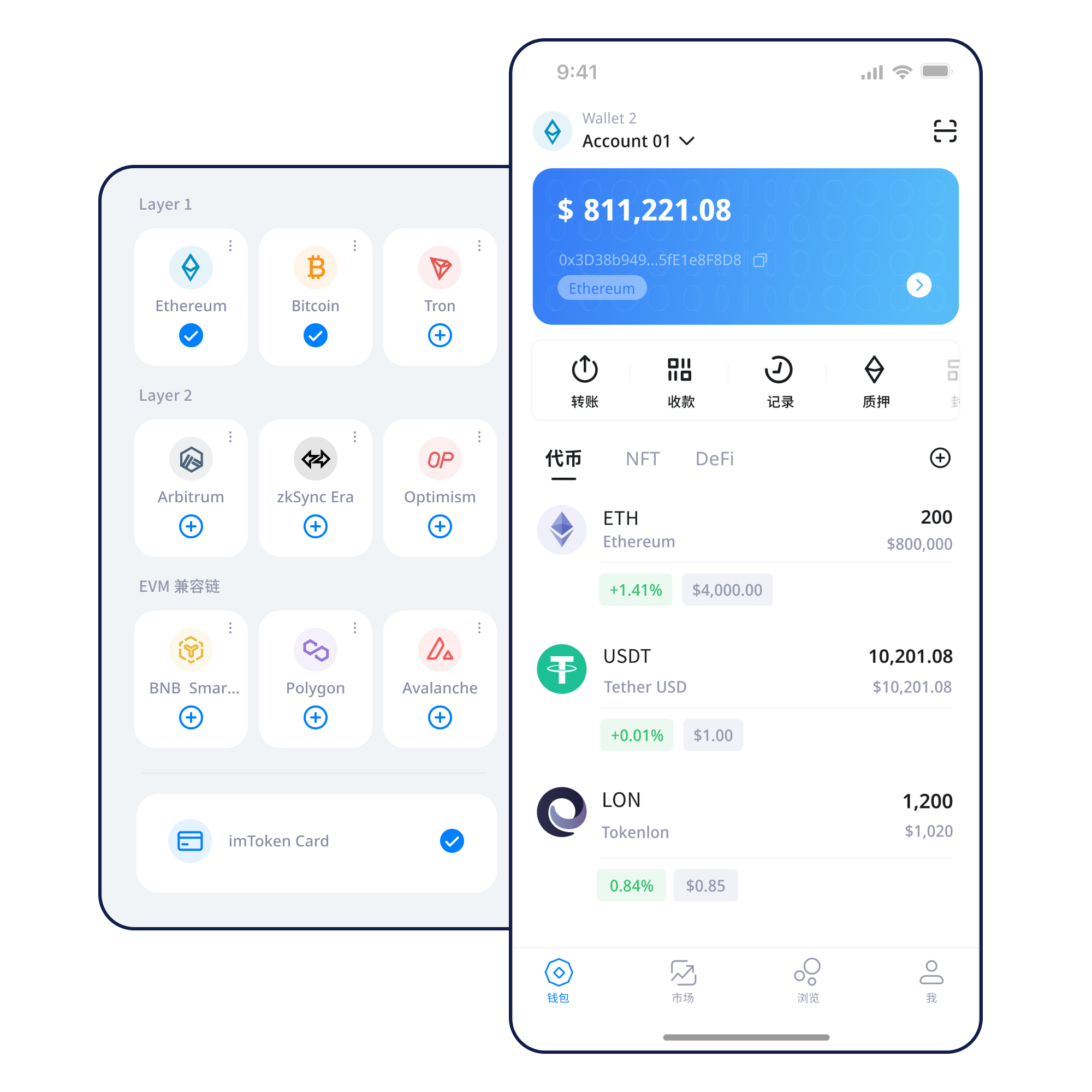
From multi-chain asset views, network selection, sending and receiving to DApp connections, signatures and approvals, imtoken organizes wallet actions around details you can verify. The knowledge center also covers public chains, EVM, Layer 2, gas, transaction confirmations and wallet security so each decision is grounded in clear context.
Understand wallets, addresses and recovery credentials before creating a new wallet environment.
View steps →Record the seed phrase offline and verify it independently without sending it through chat, email or cloud notes.
View steps →Confirm the receiving address and network, and use a small test when the route or counterparty is unfamiliar.
View steps →Review the address, network, amount and gas, then track the transaction with its public hash.
View steps →Verify the domain and account request before reviewing each signature or token approval separately.
View steps →Asset display is only the starting point. The more important skill is understanding the network an asset belongs to, how a transaction confirms, and what signatures or approvals can change.
The same address format may appear on different networks, while balances, fee assets and transaction status remain chain-specific. Confirm the network before relying on an address or token label.
The mobile experience brings together asset views, network management, transaction history and DApp connections. Every signature and approval should still be reviewed on its own.
For receiving, verify the network and address. For sending, add amount and gas checks, then use the transaction hash to inspect the on-chain state.
Browser connections focus on account requests, network changes and approval review. Disconnect connections you no longer use and revisit persistent permissions.
Seed phrases and private keys remain under the user's control. Offline backups, device protection and approval hygiene work together as long-term safety practices.
A network label affects gas, block confirmations, contract addresses and the path an asset follows.
Each network has its own blocks, fee assets and transaction states. Even when address formats match, the selected chain still determines the actual asset state.
A transaction is broadcast, processed, included in a block and then followed by later confirmations. Block explorers expose these public records.
EVM networks share many account and contract concepts, but chain IDs, gas conditions and contract addresses still need separate verification.
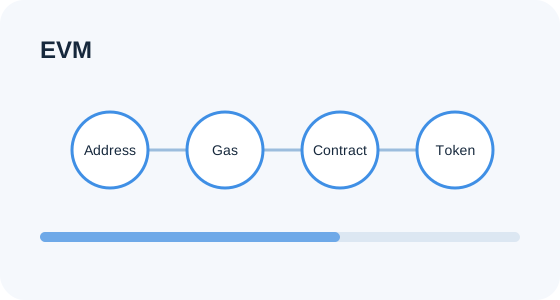
Cross-layer movements may involve bridges, waiting periods and confirmations on both sides. A mainnet balance and a Layer 2 balance are not the same chain state.
Gas represents network resource cost, while confirmations describe how later blocks continue to build on a recorded transaction. Waiting time can change with network conditions.
Each step pairs the next action with the details worth checking.
Use the official download entry rather than an unknown installation link.
Confirm the environment and understand how recovery credentials control the wallet.
Keep the seed phrase offline, avoid screenshots, and never hand it to a person claiming to be support.
Check the target network, its fee asset and address context instead of guessing from the token name.
Verify network details when receiving and review address, network, amount and fees before sending.
Use transaction hashes for on-chain verification and periodically review DApp approvals you no longer need.
Web3 & DApps
Connecting a wallet establishes account communication; it does not mean every later request is appropriate. Signatures, transactions and token approvals can have different outcomes and should be reviewed one by one.
Open the Web3 guide →Security
Wallet security is a set of habits rather than a single switch. Seed phrases and private keys control accounts and should remain under the user's custody with offline backups preferred. DApp connections, signatures and approvals are on-chain permissions that should be checked for target, scope and meaning. Before a transfer, review the address, network and amount; afterward, verify the public transaction hash. Public Wi-Fi, shared computers, remote-control tools and clipboard manipulation can change the operating environment, so important actions should be performed on trusted devices and networks. Official personnel will not ask for a seed phrase or private key, and no one should receive your recovery phrase or verification code. Third-party DApps and smart contracts can carry risk, and unused approvals should be reviewed for revocation.
Open Security Center →Start with wallets and addresses, then move through networks, gas, DApps and approvals in the order users encounter them.
Featured beginner guide
An address is public information for receiving assets, while seed phrases and private keys control account access. A network determines where a transaction is processed, gas represents network resource cost, and a transaction hash lets you inspect the result. DApps add message signatures, transaction signatures and token approvals, each with distinct permissions and consequences. Understanding these boundaries is a strong first step before using a wallet.
Read the full guide →Start with validators and reward sources, then account for exits, waiting periods, penalties and technical risk.
Ethereum Staking
Ethereum PoS uses validators to participate in block proposal and attestation. Rewards can vary with protocol rules and validator status, while exits and withdrawals may involve waiting. Staking should not be treated as a fixed-return product.
Learn staking basics →No fabricated dates, partnerships or market claims—only guidance related to product use, network awareness and security education.
A consolidated review of setup, backup, sending, receiving and transaction lookup steps.
Why matching address formats do not imply assets are on the same network.
A DApp connection never replaces review of later signature or approval requests.
How displayed assets relate to token contracts and on-chain balances.
Common questions covering wallets, networks, transactions, DApps, security and PoS.
Both relate to account control and should never be shared. A seed phrase often restores a set of accounts, while a private key controls a particular account.
Assets are processed by a specific network. A wrong network can place the result on a different chain from the one you expected.
Gas generally represents the blockchain network resources required to process an action, and the amount can change with network conditions and complexity.
It is a public identifier you can use in the relevant block explorer to inspect status, block inclusion and confirmations.
No. A connection usually establishes account communication. Token approvals and transaction signatures are separate requests.
Some approvals remain active. Review and revoke permissions that are no longer needed based on your current use.
No. They are separate chain states, and moving assets between them may involve bridging and waiting periods.
No. Rewards, validator status, exit timing, penalties, smart-contract risks and asset prices can all change.
imtoken
The download entry always leads to the dedicated download page. Review backup and transaction-check guidance before using a wallet.